
For Mac · Version 0.7
A writing app for writers.
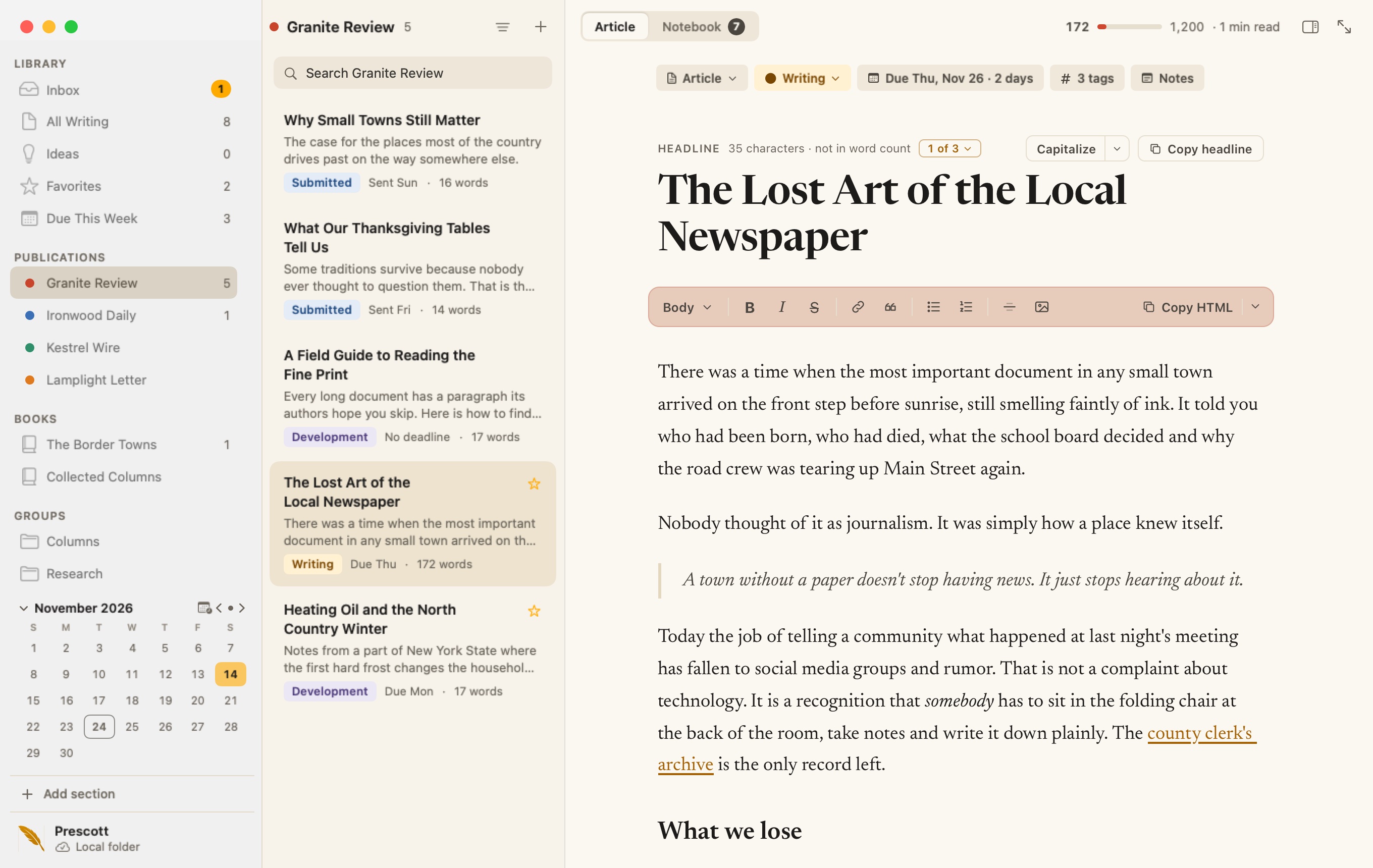
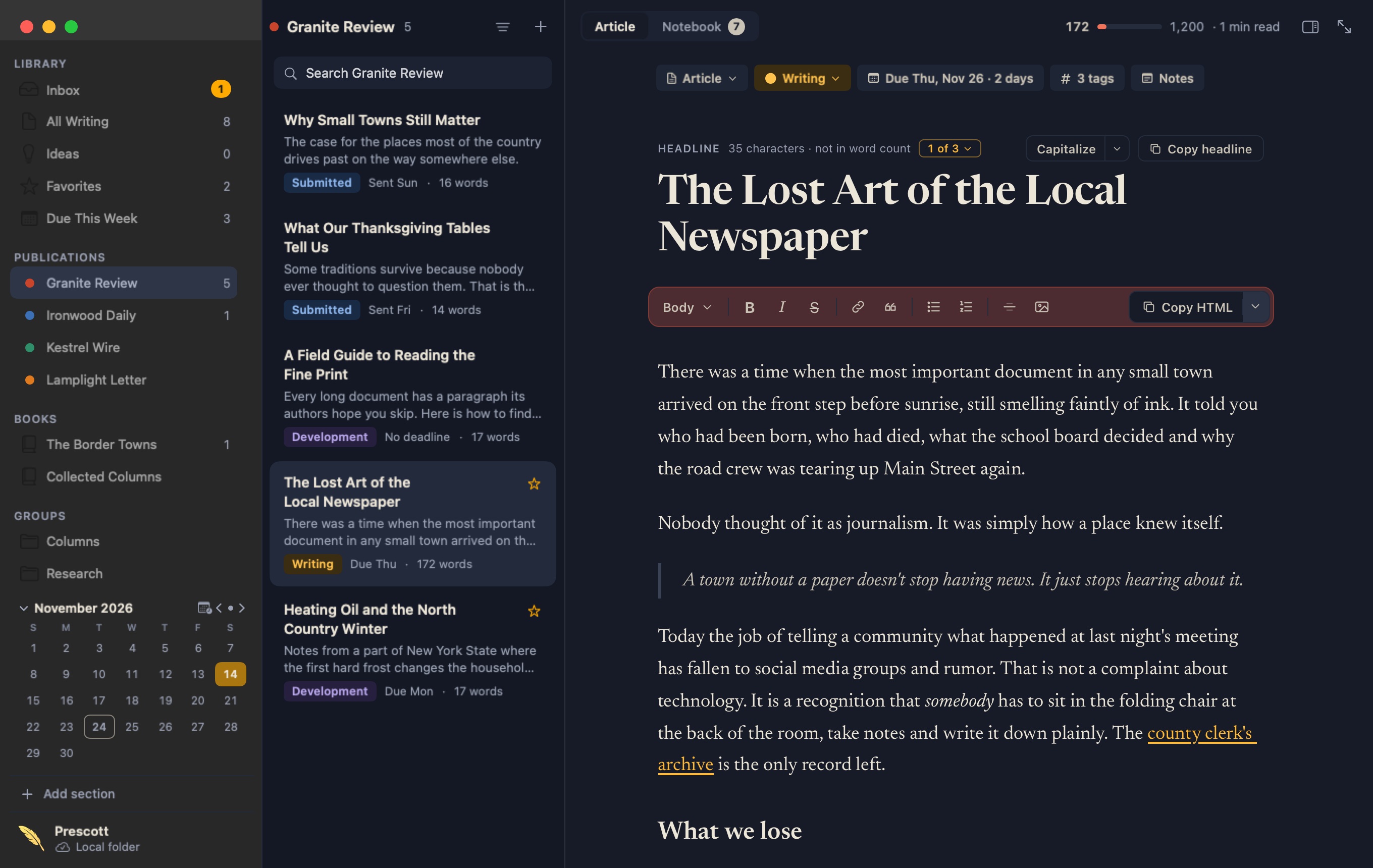
Prescott pairs the freedom of Markdown with a true WYSIWYG editor. You write in clean, formatted text, never asterisks and pound signs, and every article is still saved as a plain Markdown file in your own Dropbox. Around the page are the tools to organize your articles and projects.
Universal app for Apple silicon and Intel · Requires macOS 26 or later
What’s inside
Markdown’s freedom.
A real editor’s ease.
Most writing apps make you choose. Markdown editors keep your files open and portable but make you look at the symbols. Word processors look finished but keep your work in their own formats. Prescott gives you both, then adds what a working writer needs to keep track of articles, books and deadlines.
Why Prescott keeps your writing in Markdown
Markdown in a true WYSIWYG editor
Bold looks bold, links look like links and subheadings look like subheadings. No symbols to type around and no preview pane: what you see is your article, saved as clean Markdown.
Plain files that stay yours
Every article is a Markdown file with its details in front matter, kept in your own Dropbox. Any app can open it, and nothing gets locked in.
Organized by publication and project
Sort writing into publications, books and folders, each with its own word goals, deadlines, statuses and labels, and follow every piece from idea to published.
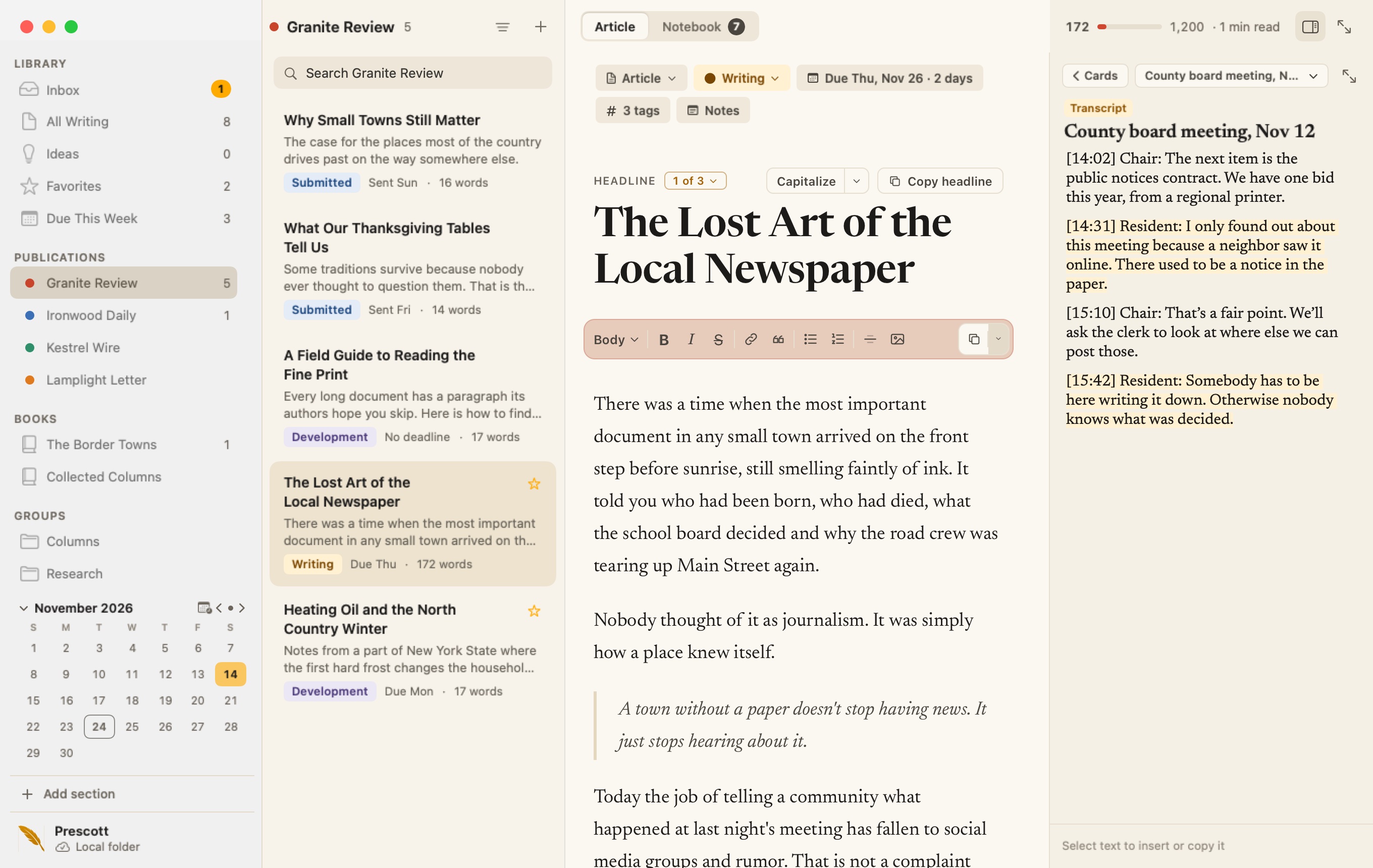
A notebook beside every draft
Links, sources, interview transcripts, sheets and saved drafts live with the article. Each link shows whether it has made it into the text.
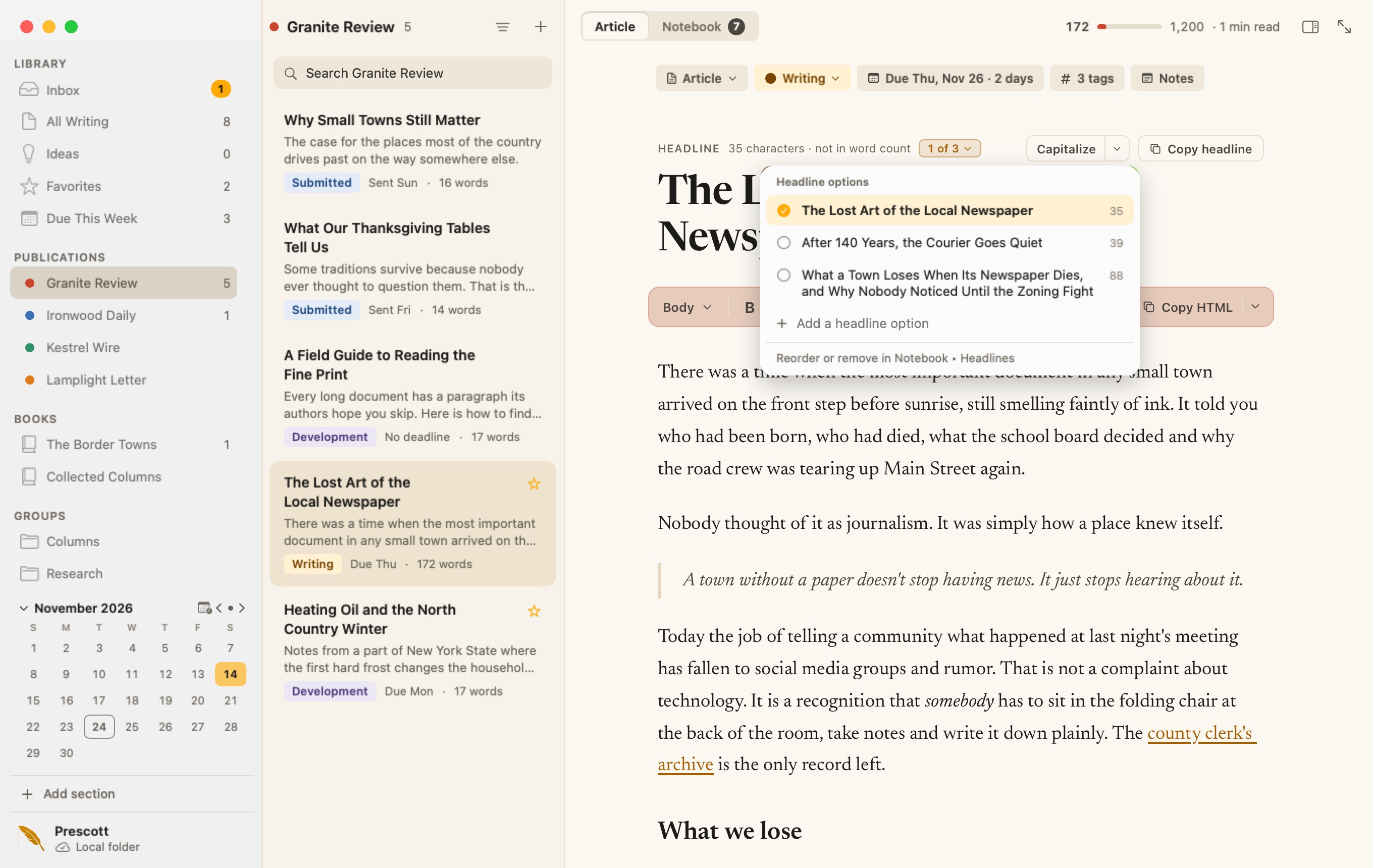
Headline options
Keep every headline you’re weighing and switch between them in a click, with a character count against your outlet’s limit.
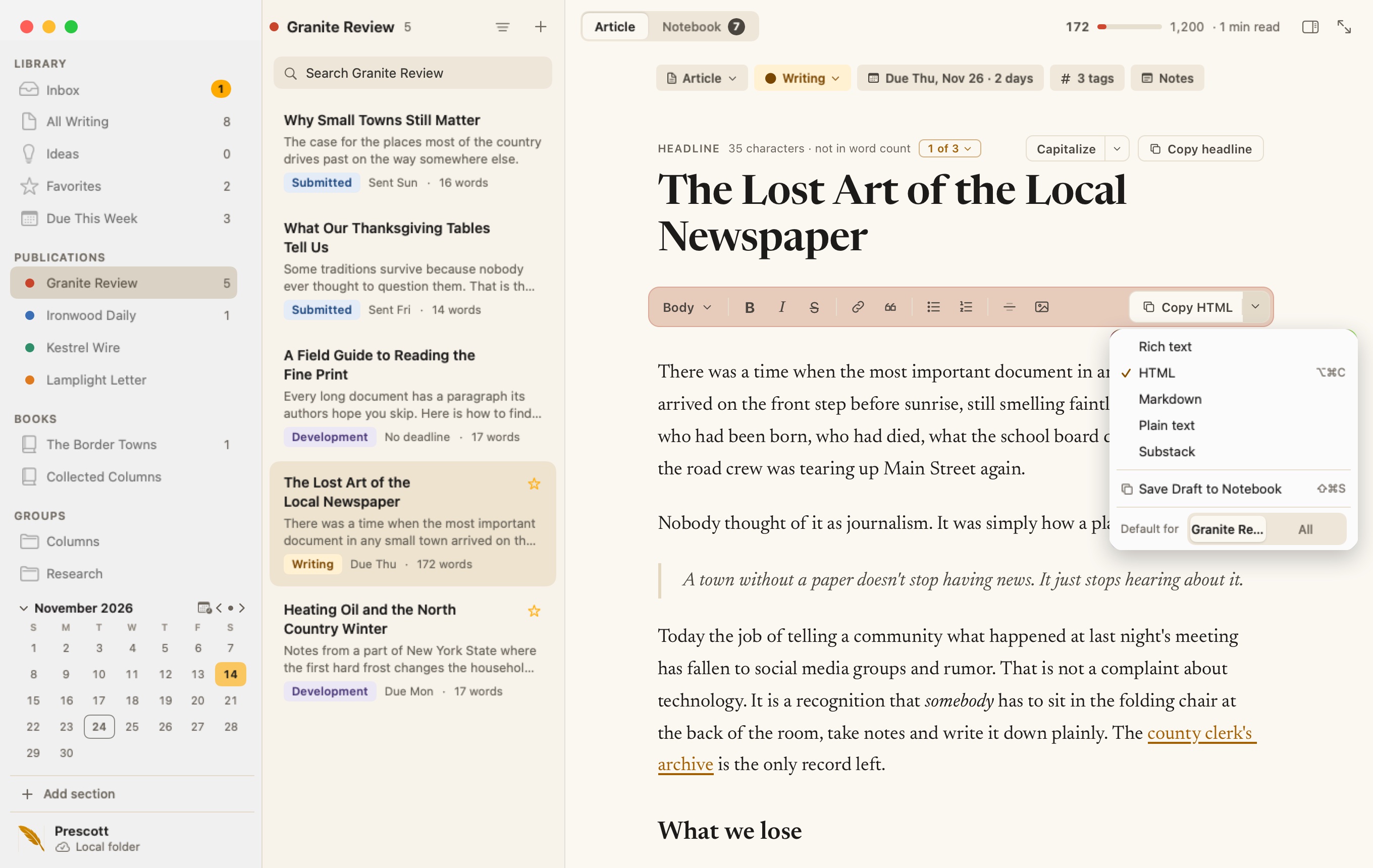
Copy it clean
Copy the body as rich text, HTML, Markdown or plain text with no stray styling. Import years of older articles, and archive finished work without losing it from search.
Carry the message.
Prescott 0.7 for Mac · macOS 26 or later
Open the download, drag Prescott to Applications, and point it at a folder in your Dropbox.